SVG Viewer

View

Preview valid SVG markup in the browser and inspect basic document dimensions.

Loading...

Page context

Where SVG Viewer fits

SVG Viewer previews valid SVG markup directly in the browser and reports basic document dimensions.

Related guides

What it shows

The viewer parses the SVG, reports file size, element count, width, height, and viewBox, then renders the SVG preview in the result panel.

Reading the stats

Element counts in the hundreds are normal for detailed artwork; thousands suggest optimization. A missing viewBox with fixed dimensions explains most "my SVG will not resize" problems.

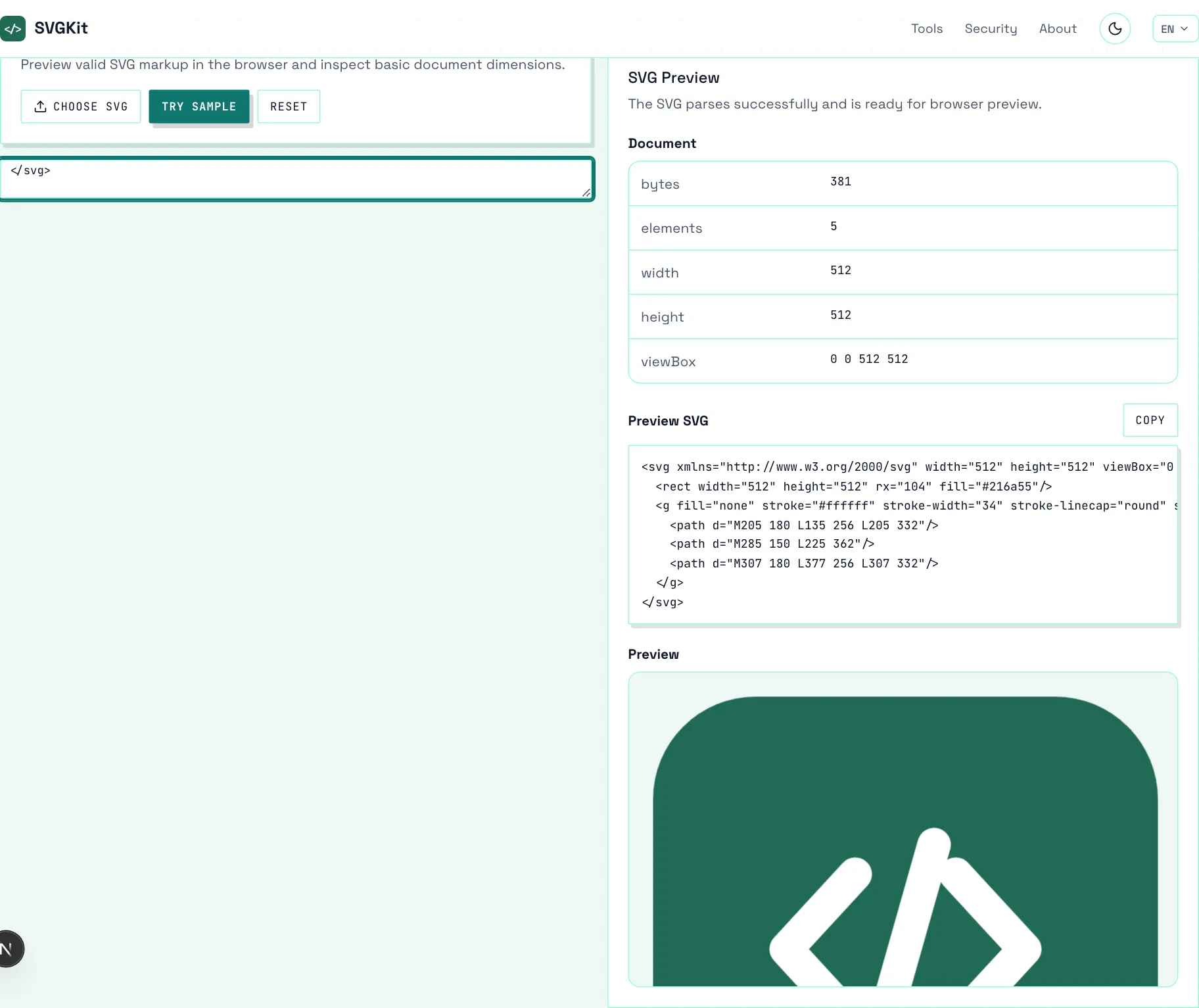
The SVG Viewer with an icon pasted in, showing the document stats (bytes, elements, dimensions, viewBox) and the rendered preview.
The viewer at work: document stats exactly as parsed, next to a sanitized preview of the icon.

Best use cases

Use it to quickly inspect SVG snippets, validate copied markup, preview design exports, and check whether an SVG renders before embedding it elsewhere.

What the preview proves

The preview renders through the same sanitized pipeline the site uses everywhere, so what you see is what browsers will safely show — active content stays blocked even if present.

What the inspector reports

SVG Viewer reads the document locally and reports the metrics relevant to this view — structure, values, and counts exactly as they exist in the file.

Reading the results

Treat the output as diagnostics rather than verdicts. Numbers describe the file; whether they matter depends on where the SVG ships and how it is consumed.
How to use

  1. Paste SVG. Paste SVG markup into the input panel.
  2. Preview. The tool parses the SVG and renders it in the preview panel.
  3. Inspect stats. Review dimensions, viewBox, byte size, and element count.
  4. Decide. Send the file to the optimizer or editor if the stats suggest work.

Frequently asked questions

Does this upload my SVG?
No. The SVG is parsed and previewed in the browser.
Can it preview invalid SVG?
No. Invalid markup reports an error instead of rendering.
Does it optimize the SVG?
No. Use SVG Optimizer when you want a smaller output file.
What is a healthy element count?
There is no fixed limit, but simple icons sit under 50 elements and detailed illustrations in the hundreds. More means heavier parsing and painting.
Why does my file render in a browser but error here?
The viewer enforces a real SVG root. HTML wrappers or fragments that browsers silently accept are reported as invalid.
Is the preview sanitized?
Yes. Scripts and event handlers stay blocked, so previewing an untrusted file is safe.
Can I compare two files?
One at a time — reload with the next file when you move on.
Is SVG Viewer free?
Yes. SVGKit tools are free to use with no account required.